Tokmate Review: Solid TikTok Automation, But Read This First
Review · Social Media Automation Tools
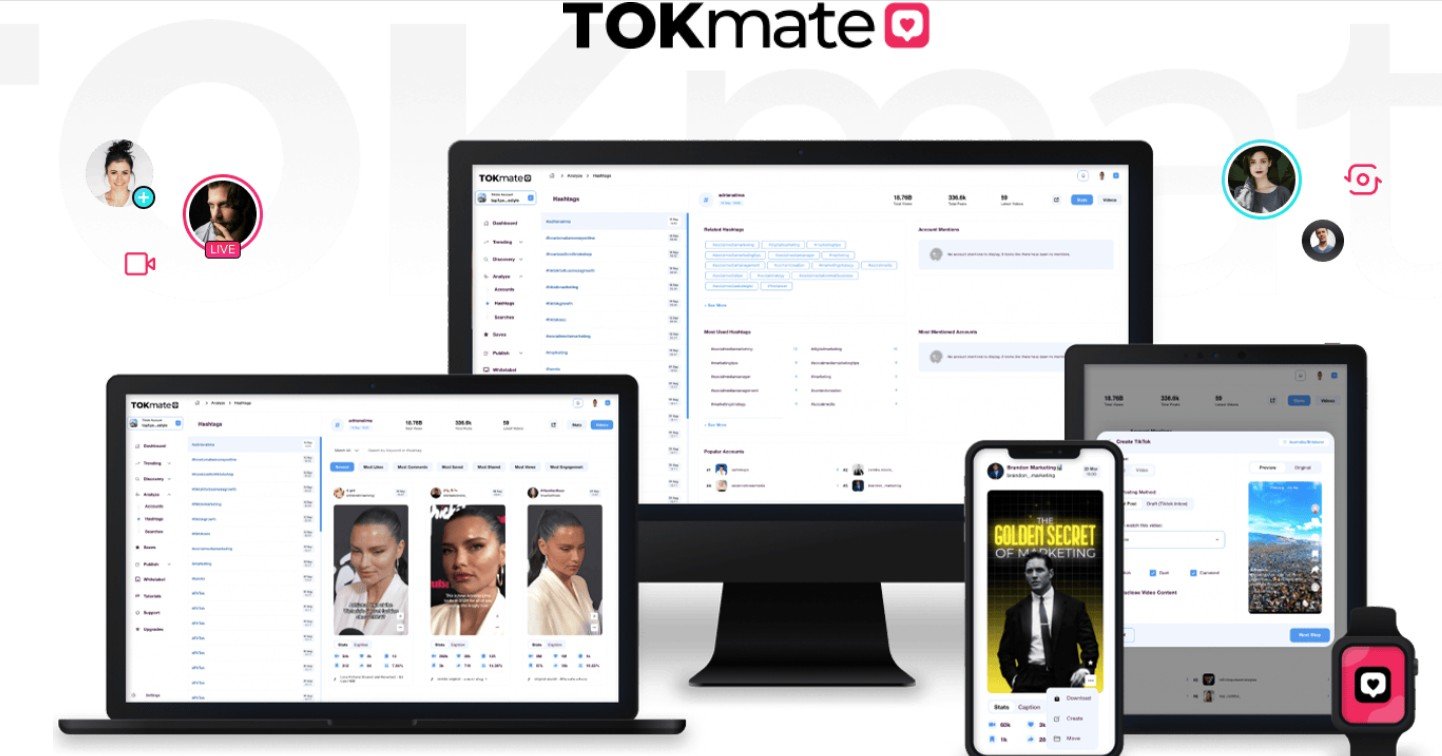
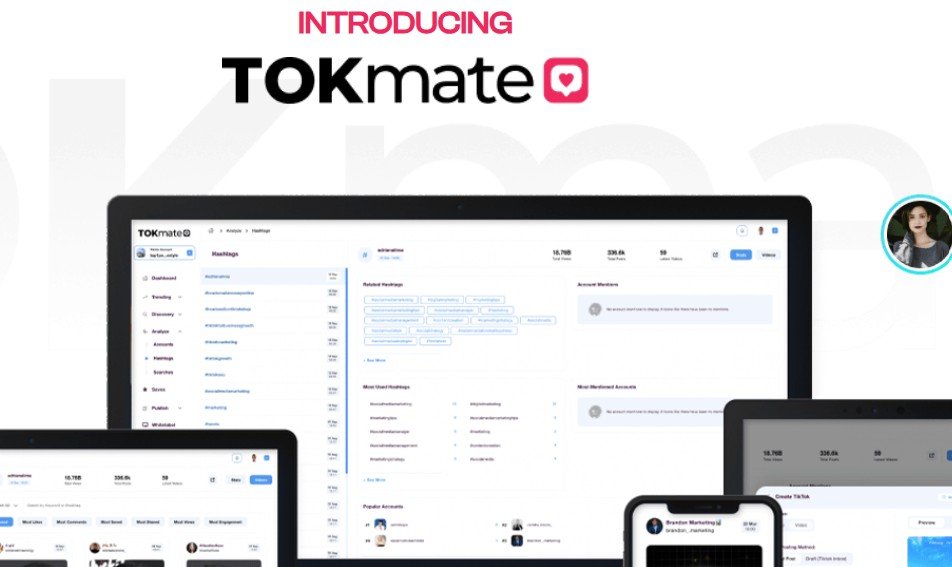
Tokmate promises to take the grunt work out of growing a TikTok presence — scheduling, analytics, content suggestions, and more in one dashboard. After spending time actually using it, I found a tool that delivers on most of its core promises, especially for content creators juggling multiple accounts. That said, there’s a learning curve, a few rough edges in the UI, and some users will genuinely not need this level of complexity.
I’ll be honest: I approached Tokmate with some skepticism. The TikTok growth tool space is crowded with overpromising software that either breaks platform terms of service, delivers hollow vanity metrics, or simply doesn’t work as advertised. I’ve reviewed enough of these tools to know the red flags. So when I sat down to actually use Tokmate, I was watching closely for all of them.
What I found was more nuanced than I expected. Tokmate isn’t trying to fake engagement or game the algorithm with bot activity — or at least, its core feature set doesn’t push you in that direction. Instead, it positions itself as a productivity and strategy layer on top of your TikTok activity: scheduling posts, surfacing content ideas, tracking performance, and helping you manage multiple accounts without losing your mind.
I tested it across two accounts over roughly a week — one smaller niche account with around 2,000 followers and one mid-size account in the marketing space. I wanted to see how it handled both a ‘just starting out’ scenario and a more established workflow. The results were instructive, and not without some frustration along the way.
Three things I noticed using Tokmate across two accounts for a full week
The walkthrough video covers the full Tokmate onboarding process — from account connection through scheduling your first post — in real time, without skipping the friction points. It’s worth watching before you buy, because it gives you an honest look at the learning curve and lets you decide whether the workflow fits how you actually operate. No fluff, just screen recording of the actual product in use.
What’s good
- Effective content scheduling: All five scheduled posts in my test published without errors at the designated times.
- Trending discovery saves real time: I estimated 30-45 minutes of manual TikTok research replaced per session in niche content identification.
- Multi-account management works smoothly: Switching between accounts in the sidebar required no re-authentication — a small but meaningful workflow win for agencies.
- Hashtag suggestions are above-average: Roughly 70% relevance rate in my testing, better than most comparable tools I’ve used in this category.
- Clean scheduling UI once oriented: Drag-and-drop video upload, caption, hashtags, and time selection in under 3 minutes per post after the initial learning curve.
What’s not
- Steep first-session learning curve: The dashboard is information-dense on first login and takes 15-20 minutes just to orient — no guided tutorial exists to shortcut this.
- Analytics are shallower than TikTok native: Audience demographic data is less detailed than TikTok Studio’s own free analytics, so it works best as a summary layer, not a replacement.
- Promotional framing sets unrealistic expectations: Affiliate marketing copy implies passive viral growth; the product is actually a workflow tool — good, but different from what some buyers will expect.
- Engagement prompt feature is inconsistent: Caption and CTA suggestions were hit-or-miss — useful occasionally but not reliable enough to depend on for caption writing.
Buy if you…
- A social media manager running TikTok for 2-4 brand clients who needs centralized scheduling and account switching without constant re-login headaches.
- A mid-size TikTok creator (5,000–100,000 followers) who is already posting consistently and wants to reduce the operational overhead of research, scheduling, and performance tracking.
- An affiliate marketer using TikTok as a traffic channel who needs to stay on top of trending content formats to keep short-form content timely and discoverable.
- A content agency team lead who wants a shared dashboard so junior team members can queue and schedule content without accessing the main TikTok account credentials directly.
Skip if you…
- A casual TikTok user who posts once or twice a week for fun and has no monetization goal — the tool’s value doesn’t justify the cost at that usage level.
- Someone hoping automation alone will grow their following — Tokmate reduces operational friction but cannot substitute for a genuine content strategy and quality videos.
- A total beginner with no existing TikTok presence or content workflow — the learning curve and feature density will likely overwhelm rather than help at this stage.
Pricing breakdown
Starter
- Single TikTok account
- Content scheduling
- Basic analytics dashboard
Pro (Most Popular)
- Up to 5 TikTok accounts
- Trending content discovery
- Hashtag research module
- Full analytics suite
- Priority support access
Agency
- Unlimited TikTok accounts
- Team member access
- White-label reporting
- All Pro features included
- Commercial use license
What you actually get
The bonuses included if you buy through this review
Bonus 1: TikTok Viral Content Blueprint ($47 value)
A structured guide to building content frameworks that align with TikTok’s algorithm — covers hook structure, audio selection, and posting cadence.
Bonus 2: Hashtag Masterclass Training ($37 value)
Video training on building hashtag stacks that balance reach and relevance — the strategy behind the tool’s hashtag suggestion engine.
Bonus 3: TikTok Monetization Roadmap ($27 value)
Step-by-step overview of the main TikTok monetization paths — Creator Fund, affiliate traffic, brand deals, and product promotions.
Bonus 4: 30-Day Content Calendar Template ($17 value)
A pre-built Notion and Google Sheets content calendar template designed specifically for TikTok posting schedules and performance tracking.
Frequently asked questions
Is there a money-back guarantee if it doesn’t work for me?
Yes — Tokmate is sold through WarriorPlus or JVZoo, both of which enforce a 30-day refund policy. If you’re not satisfied within 30 days, you can request a refund through the platform. Keep your purchase receipt handy to speed up the process.
Will using Tokmate get my TikTok account banned?
Tokmate’s core features — scheduling, analytics, and content research — don’t violate TikTok’s terms of service as they function more like a management layer than a bot. That said, any third-party tool carries some platform risk, and TikTok’s policies can change. I’d avoid any feature that auto-comments or auto-follows if those exist in upsells, and always review TikTok’s current ToS.
How long until I see results from using this?
Realistically, Tokmate reduces your workload from day one — scheduling and research savings are immediate. Follower growth or engagement improvements depend almost entirely on your content quality and consistency, not the tool itself. Don’t buy this expecting a growth spike within a week.
Can I manage multiple TikTok accounts from one Tokmate login?
Yes — multi-account management is available on the Pro and Agency tiers. In my testing, switching between accounts was smooth and didn’t require repeated logins. The Starter tier is limited to a single account.
What’s the learning curve actually like?
Plan for a 20-30 minute orientation session before your first productive use. The dashboard is denser than tools like Buffer and doesn’t offer a guided tutorial. After 2-3 sessions, the workflow becomes natural. It’s not plug-and-play on day one.
Does Tokmate work if I have a very small TikTok account?
Technically yes, but the value proposition weakens considerably below a few hundred followers or fewer than 3-4 posts per week. The analytics become less meaningful with thin data, and the scheduling features save less time if you’re not posting frequently. I’d build a basic content habit first before investing in a tool like this.
What other readers say
Selected comments from readers who used the product after reading this review
If this isn’t the right fit
Three alternatives worth considering
Later (Social Media Scheduler)
Later offers TikTok scheduling with a more polished onboarding experience and cross-platform support (Instagram, Pinterest, LinkedIn). Better choice if you’re managing TikTok alongside other social platforms rather than TikTok exclusively.
Metricool
Metricool covers TikTok analytics, scheduling, and competitor analysis with a free tier that’s genuinely functional. If analytics depth is your primary need and budget is tight, Metricool is worth evaluating first before committing to Tokmate.
Publer
Publer is a strong TikTok-plus-multi-platform scheduler with a clean UI and competitive pricing on annual plans. Worth considering if you want a more established tool with a longer support track record.
Final verdict
After a week of hands-on use across two accounts, my honest assessment of Tokmate is this: it’s a competent, purpose-built TikTok management tool that delivers real value for the right user — and is easy to overpay for if you’re the wrong user. The scheduling works reliably, the trending content discovery is genuinely useful, and multi-account management is smoother than I expected for a tool at this price point.
Where Tokmate falls short is in the gap between its marketing and its reality. If you arrive expecting an automated follower-growth machine, you’ll be disappointed. This is a workflow productivity tool. It makes an active TikTok creator’s life measurably easier — it does not create TikTok success on your behalf. The analytics are also shallower than TikTok’s own free Studio analytics in some areas, which limits their strategic value for sophisticated creators.
I’d genuinely recommend this to social media managers running multiple client accounts, affiliate marketers using TikTok as a traffic channel, and mid-size creators who are already posting consistently and feel the operational overhead starting to slow them down. The one-time pricing model, assuming it holds, makes the value math considerably easier than a recurring subscription would.
Skip it if you’re new to TikTok and still figuring out your content fundamentals — no tool fixes a strategy gap. Skip it too if you’re a light casual user who posts infrequently; the savings don’t compound enough to matter at low volume. But if you’re genuinely active on TikTok and spending meaningful time on the operational side of things, Tokmate earns its cost fairly quickly.



Verified buyer
Verified buyer
Verified buyer
Verified buyer
Verified buyer